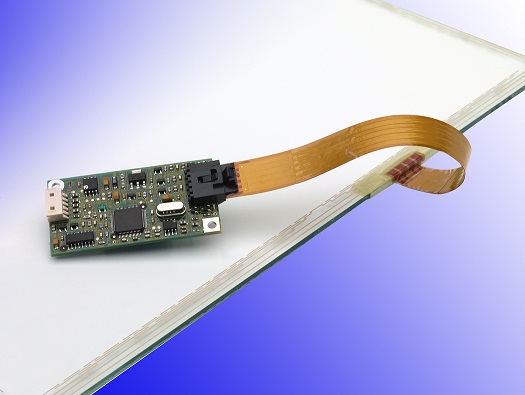
 Touch Screen Sensor
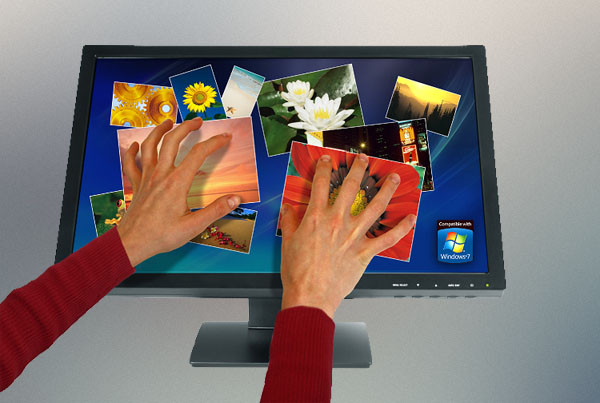 Touch Screen Monitor
 Touch Computer
 Speciality Display
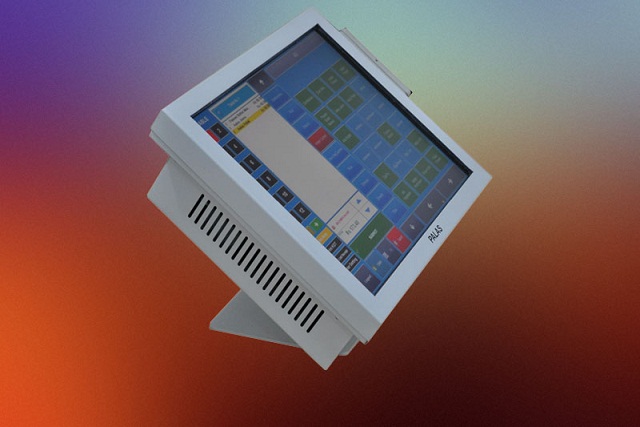 POS System
 Self Ordering System
 Self Service Patient Registration
 Self Service Employee
 Digital Signage
 Software for Factories
 HR Software
 Value Series
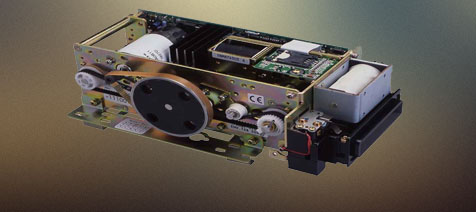 Smartcard Reader
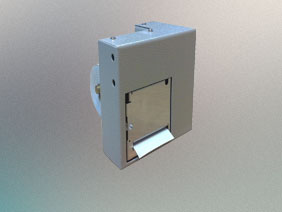 Thermal Printers
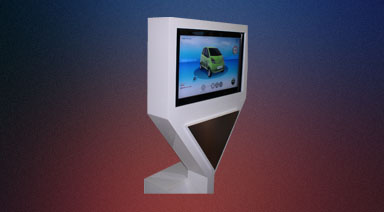 Retail Solution
 Industrial software
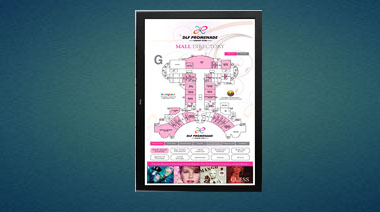 Digital Signage
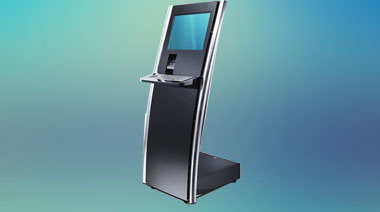 Kiosk
Kiosk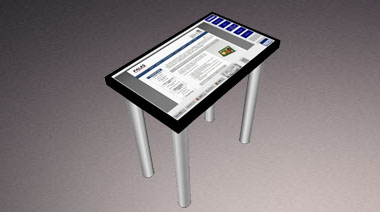 Touch Table
- Touch Screen Sensor
- Touch Screen Monitor
- Touch Computer
- Speciality Display
- POS System
- Value Series Touch Display
- Sankyo SmartCard Reader
- Thermal Printer
- Retail Solution
- Self Ordering System
- Kiosk
- Touch Table
- Software & Solutions
- Self Ordering System
- Self Service Patient Registration
- Self Service Employee
- Digital Signage
- Software for Factories
- HR Software
Touch Screen Drivers
To download, select your touchscreen driver or utility from the expanding list below and choose your operating system from the drop-down menu.
Touchscreen Drivers and Kernel Patches| Description | Driver to download | Controllers Supported | More Information |
|---|---|---|---|
| For new customers who need touch driver support, but also need enhanced multi-touch functionality, such as multi-touch support across multiple monitors or display walls. | MT 7.14.9 |
3M Controllers: PX, EX, CX, DX (DST), RX (SC400/SC500/SC800), SMT3, MTx |
Touch Driver, Control Panel and Calibration Tool Posted: September 1, 2017 File Size: 2.4MB, .zip file ReadMe (TXT 22 KB) MT 7 Software Users Guide (PDF 1001 KB) |
| For existing customers who have qualified the MT 7.13 driver series. | MT 7.13 Build 22 |
3M Controllers: PX, EX, CX, DX (DST), RX (SC400/SC500/SC800), SMT3, MTx |
Touch Driver, Control Panel and Calibration Tool Posted: Septmeber 1, 2018 File Size: 2.4MB, .zip file ReadMe (TXT 22KB) MT 7 Software Users Guide (PDF 1001 KB) |
| Description | Driver to download | Controllers Supported | More Information |
|---|---|---|---|
| For new customers who need touch driver support, but also need enhanced multi-touch functionality, such as multi-touch support across multiple monitors or display walls. | MT 7.14.9 |
3M Controllers: PX, EX, CX, DX (DST), RX (SC400/SC500/SC800), SMT3, MTx |
Touch Driver, Control Panel and Calibration Tool Posted: September 1, 2017 File Size: 2.4MB, .zip file ReadMe (TXT 22 KB) MT 7 Software Users Guide (PDF 1001 KB) |
| For existing customers who have qualified the MT 7.13 driver series. | MT 7.13 Build 22 |
3M Controllers: PX, EX, CX, DX (DST), RX (SC400/SC500/SC800), SMT3, MTx |
Touch Driver, Control Panel and Calibration Tool Posted: Septmeber 1, 2018 File Size: 2.4MB, .zip file ReadMe (TXT 22KB) MT 7 Software Users Guide (PDF 1001 KB) |
| Description | Driver to download | Controllers Supported | More Information |
|---|---|---|---|
| For new customers who need touch driver support, but also need enhanced multi-touch functionality, such as multi-touch support across multiple monitors or display walls. | MT 7.14.9 |
3M Controllers: PX, EX, CX, DX (DST), RX (SC400/SC500/SC800), SMT3, MTx |
Touch Driver, Control Panel and Calibration Tool Posted: September 1, 2017 File Size: 2.4MB, .zip file ReadMe (TXT 22 KB) MT 7 Software Users Guide (PDF 1001 KB) |
| For existing customers who have qualified the MT 7.13 driver series. | MT 7.13 Build 22 |
3M Controllers: PX, EX, CX, DX (DST), RX (SC400/SC500/SC800), SMT3, MTx |
Touch Driver, Control Panel and Calibration Tool Posted: Septmeber 1, 2018 File Size: 2.4MB, .zip file ReadMe (TXT 22KB) MT 7 Software Users Guide (PDF 1001 KB) |
| Description | Driver to download | Controllers Supported | More Information |
|---|---|---|---|
| For new customers who need touch driver support, but also need enhanced multi-touch functionality, such as multi-touch support across multiple monitors or display walls. | MT 7.14.9 |
3M Controllers: PX, EX, CX, DX (DST), RX (SC400/SC500/SC800), SMT3, MTx |
Touch Driver, Control Panel and Calibration Tool Posted: September 1, 2017 File Size: 2.4MB, .zip file ReadMe (TXT 22 KB) MT 7 Software Users Guide (PDF 1001 KB) |
| For existing customers who have qualified the MT 7.13 driver series. | MT 7.13 Build 22 |
3M Controllers: PX, EX, CX, DX (DST), RX (SC400/SC500/SC800), SMT3, MTx |
Touch Driver, Control Panel and Calibration Tool Posted: Septmeber 1, 2018 File Size: 2.4MB, .zip file ReadMe (TXT 22KB) MT 7 Software Users Guide (PDF 1001 KB) |
| Description | Driver to download | Controllers Supported | More Information |
|---|---|---|---|
| For new customers who need touch driver support, but also need enhanced multi-touch functionality, such as multi-touch support across multiple monitors or display walls. | MT 7.14.9 |
3M Controllers: PX, EX, CX, DX (DST), RX (SC400/SC500/SC800), SMT3, MTx |
Touch Driver, Control Panel and Calibration Tool Posted: September 1, 2017 File Size: 2.4MB, .zip file ReadMe (TXT 22 KB) MT 7 Software Users Guide (PDF 1001 KB) |
| For existing customers who have qualified the MT 7.13 driver series. | MT 7.13 Build 22 |
3M Controllers: PX, EX, CX, DX (DST), RX (SC400/SC500/SC800), SMT3, MTx |
Touch Driver, Control Panel and Calibration Tool Posted: Septmeber 1, 2018 File Size: 2.4MB, .zip file ReadMe (TXT 22KB) MT 7 Software Users Guide (PDF 1001 KB) |
| Description | Driver to download | Controllers Supported | More Information |
|---|---|---|---|
| For new customers who need touch driver support, but also need enhanced multi-touch functionality, such as multi-touch support across multiple monitors or display walls. | MT 7.14.9 |
3M Controllers: PX, EX, CX, DX (DST), RX (SC400/SC500/SC800), SMT3, MTx |
Touch Driver, Control Panel and Calibration Tool Posted: September 1, 2017 File Size: 2.4MB, .zip file ReadMe (TXT 22 KB) MT 7 Software Users Guide (PDF 1001 KB) |
| For existing customers who have qualified the MT 7.13 driver series. | MT 7.13 Build 22 |
3M Controllers: PX, EX, CX, DX (DST), RX (SC400/SC500/SC800), SMT3, MTx |
Touch Driver, Control Panel and Calibration Tool Posted: Septmeber 1, 2018 File Size: 2.4MB, .zip file ReadMe (TXT 22KB) MT 7 Software Users Guide (PDF 1001 KB) |
| Description | Driver to download | Controllers Supported | More Information |
|---|---|---|---|
| For new customers who need touch driver support, but also need enhanced multi-touch functionality, such as multi-touch support across multiple monitors or display walls. | MT 7.14.9 |
3M Controllers: PX, EX, CX, DX (DST), RX (SC400/SC500/SC800), SMT3, MTx |
Touch Driver, Control Panel and Calibration Tool Posted: September 1, 2017 File Size: 2.4MB, .zip file ReadMe (TXT 22 KB) MT 7 Software Users Guide (PDF 1001 KB) |
| For existing customers who have qualified the MT 7.13 driver series. | MT 7.13 Build 22 |
3M Controllers: PX, EX, CX, DX (DST), RX (SC400/SC500/SC800), SMT3, MTx |
Touch Driver, Control Panel and Calibration Tool Posted: Septmeber 1, 2018 File Size: 2.4MB, .zip file ReadMe (TXT 22KB) MT 7 Software Users Guide (PDF 1001 KB) |
| Driver to download | Controllers Supported | More Information |
|---|---|---|
| 3M MicroTouch MT 7.13 Build 4 |
EX (SCT), SC (4/5/8-wire resistive), DX (DST) |
Touch Driver, Control Panel and Calibration Tool. NOTE: This driver has been qualified for CE 6.0 and 7.0. Use Legacy Driver MT 7.11 SR1 for CE 4.0 and 5.0. Posted: April 2011 File Size: 2.0MB MT 7 Software Users Guide (PDF 1MB) |
| Driver to download | Controllers Supported | More Information |
|---|---|---|
| 3M MicroTouch MT 7.13.16 |
3M Controllers: PX, EX, DX (DST), RX (SC400/SC500/SC800) |
This driver provides multi-touch support for 3M Projected Capacitive touch systems and displays for Windows CE 7.0 Posted: April 17, 2014 ReadMe File |
| Driver to download | Controllers Supported | More Information |
|---|---|---|
| MT 7.13 Build 1 |
EX II, SC400, SC500, SC800, DST |
Touch Driver, Control Panel and Calibration Tool Posted: March 29, 2010 File Size: 3.12MB, .zip file MT 7 Software Users Guide (PDF 504 KB) |
| Kernel Patch to download | Controllers Supported | More Information |
|---|---|---|
|
Kernel Version: 3.0 - 3.4.10 Android Version: 4.0, 4.1, 4.2, 4.4 |
3M Controllers: PX |
This kernel patch provides support for 3M Projected Capacitive touch systems and displays for the Android and Linux operating systems. Posted: June 25, 2014 ReadMe File |
| Kernel Patch to download | Controllers Supported | More Information |
|---|---|---|
| Linux Kernel Patch 3.0-3.4.10 |
3M Controllers: PX |
This kernel patch provides support for 3M Projected Capacitive touch systems and displays for the Android and Linux operating systems. Posted: June 25, 2014 ReadMe File |
| Driver to download | Controllers Supported | More Information |
|---|---|---|
| MT7.14.4 |
3M Controllers: PX, EX, DX (DST), RX (SC400/SC500/SC800), SMT3, MTx |
MT7 User Space Driver (Touch driver and calibration tool) Posted: August 14, 2014 File Size: 2MB, .bin file Linux ReadMe File (.txt 27KB) MT 7 Software Users Guide (PDF 1001 KB) |
| Driver to download | Controllers Supported | More Information |
|---|---|---|
| MT7.14.4 x64 |
3M Controllers: PX, EX, DX (DST), RX (SC400/SC500/SC800), SMT3, MTx |
MT7 User Space Driver (Touch driver and calibration tool) Posted: August 14, 2014 File Size: 2MB, .bin file Linux ReadMe File (.txt 27KB) MT 7 Software Users Guide (PDF 1001 KB) |
| Driver to download | Controllers Supported | More Information |
|---|---|---|
| Touchware 3.4 |
3M Controllers: EX Serial, SMT3, MTx |
MicroTouch TouchWare for Windows 95, Windows 3.1x, and MS-DOS (Touch driver and calibration tool) Version 3.4, April 1997 File Size: 1.81MB, .zip file ReadMe File (.txt 23KB) |
| Driver to download | Controllers Supported | More Information |
|---|---|---|
|
UPDD Driver |
Mac OS X (Intel) driver for PCT (PX controller), SCT (EX controller), DST (DX controller), Resistive (SX controllers: SC400, SC500, SC800). Only five (5) simultaneous touch events supported. |
3rd party driver Posted: February 2014 DMG File Size: 27MB Click for driver support documentation |
|
UPDD Gesture Support |
Mac OS X (Intel) driver for PCT (PX controller), SCT (EX controller), DST (DX controller), Resistive (SX controllers: SC400, SC500, SC800) |
3rd party Gesture Support to be used in conjunction with UPDD Driver Posted: February 2014 ZIP File Size: 14.9MB Click for developer notes Click for driver support documentation |
NOTES:
Windows-users:
- To install your touchscreen driver/utility directly from your browser, select OPEN (WinZip files will appear). Unzip or extract files to an easy-to-find directory, then select "setup.exe" from the file list to start the installation process.
-
To save a touchscreen driver/utility for future use or for use on other systems,
(1) Select SAVE to download your driver/utility to your hard drive or flash drive. Be sure to save the driver/utility file to an easy-to-find directory on your drive.
(2) To install driver/utility from your system drive, locate the driver file and unzip file to easy-to-find location.
(3) Select "setup.exe" from the file list to start the installation process.
- If you don't have WinZip on your system, contact Technical Support to receive a self-extracting version.
Apple and Linux users:
SAVE the download file to your system. Be sure to save the file to an easy-to-find location on your system.